
With the Feed to Post add-on, when you import feed items into default posts or custom post types other than Feed Items, you can display them using your theme's archive template or with the help of a page builder plugin.
This means that any display options, ranging from showing the author name to displaying posts in a grid style can handled by the theme or page builder plugins. You could also use the Templates add-on for WP RSS Aggregator to quickly display posts in the style of a grid, excerpts, and thumbnails, or list.
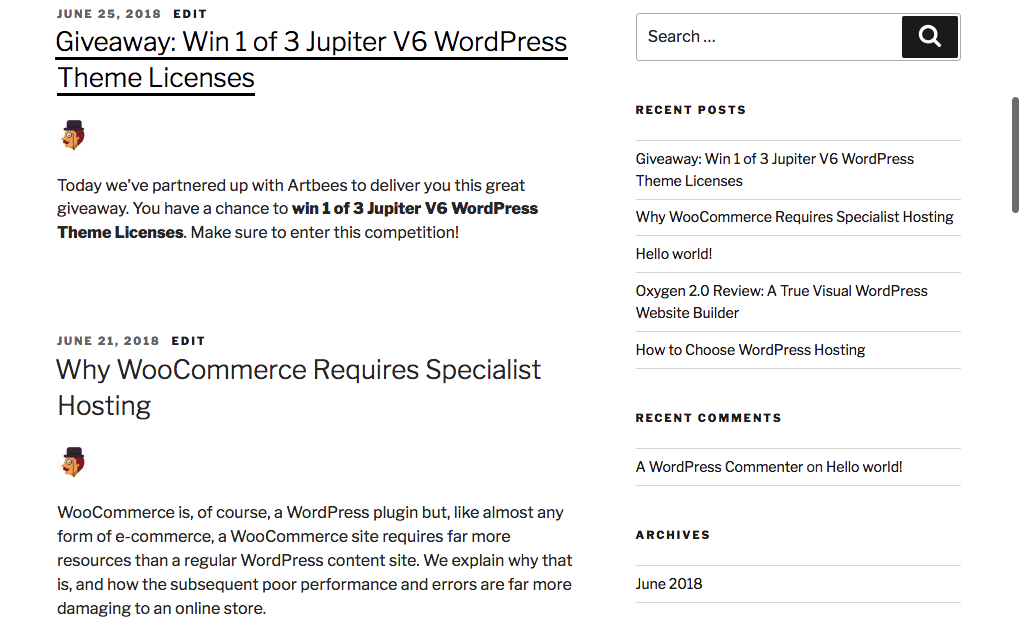
If you have chosen to import into the default WordPress Posts, these will be visible immediately upon import in your website’s Blog section. You could also change the default posts page and the number of posts displayed from Settings > Reading in your dashboard.
If you have imported into a Custom Post Type, these imported items will appear wherever you have set up the Custom Post Type archives to be displayed.
IMPORTANT: Please note that the display of custom post-type archives is not handled by WP RSS Aggregator. This depends on your theme's custom post-type archive settings. You can find plenty of documentation on how to display custom post types in WordPress, starting with the WordPress Codex.
If you'd like one-on-one customization help related to your implementation of WP RSS Aggregator, you can hire our developer partners at Lorem or Codeable. Use the form on this page to get in touch with them.
If you use a page or template builder plugin on your site, you can use it to style the look of your imported posts as an alternative to using the WordPress theme's functionality.
Resources on Archive Templates
To learn more about building archive templates for posts and custom post types, you can check out the following resources:
- How To Build A Custom WordPress Archive Page – Smashing Magazine.
- Template Hierarchy – WordPress.org Official Documentation
Building an archive template for your posts or custom post types will require a decent knowledge of coding in WordPress and PHP.
Using Page Builder Plugins
If you don't wish to code, page builder plugins will come in handy. You can build and customize your site with little or almost no coding, and this includes building archive pages.
Here's a good read from WP Beginner comparing some of the most popular page builder plugins. Page builders have active communities around them and getting support is easy.
However, please note that some page builders can cause performance issues on your site. You will need to apply the best performance optimization techniques to prevent your site from overloading your server's resources. At the same time, the optimization should not be too aggressive, since that can cause duplicate content to appear on your site.

