
If you are a VAT-registered business located within the European Union (outside Malta), you may be eligible to purchase without VAT when purchasing an Aggregator premium plan. This guide explains how VAT exemption works at checkout, how to enter your VAT number, and what to expect during the order process.
How VAT Exemption Works
The Aggregator plugin is owned and operated by RebelCode Ltd, a limited liability company based in Malta. Therefore, EU regulations allow businesses in other EU countries to be exempt from VAT when making cross-border purchases. To qualify, you must provide a valid VAT registration number from your home country.
Our system validates the provided VAT number against the EU VIES database. If the VAT number is confirmed as valid, VAT will be automatically excluded from the order total.
Requirements for VAT Exemption
- You must be located in an EU country outside Malta.
- You must provide a valid, active VAT registration number at checkout.
- The billing country must match the country associated with the VAT number.
How to Exclude VAT at Checkout
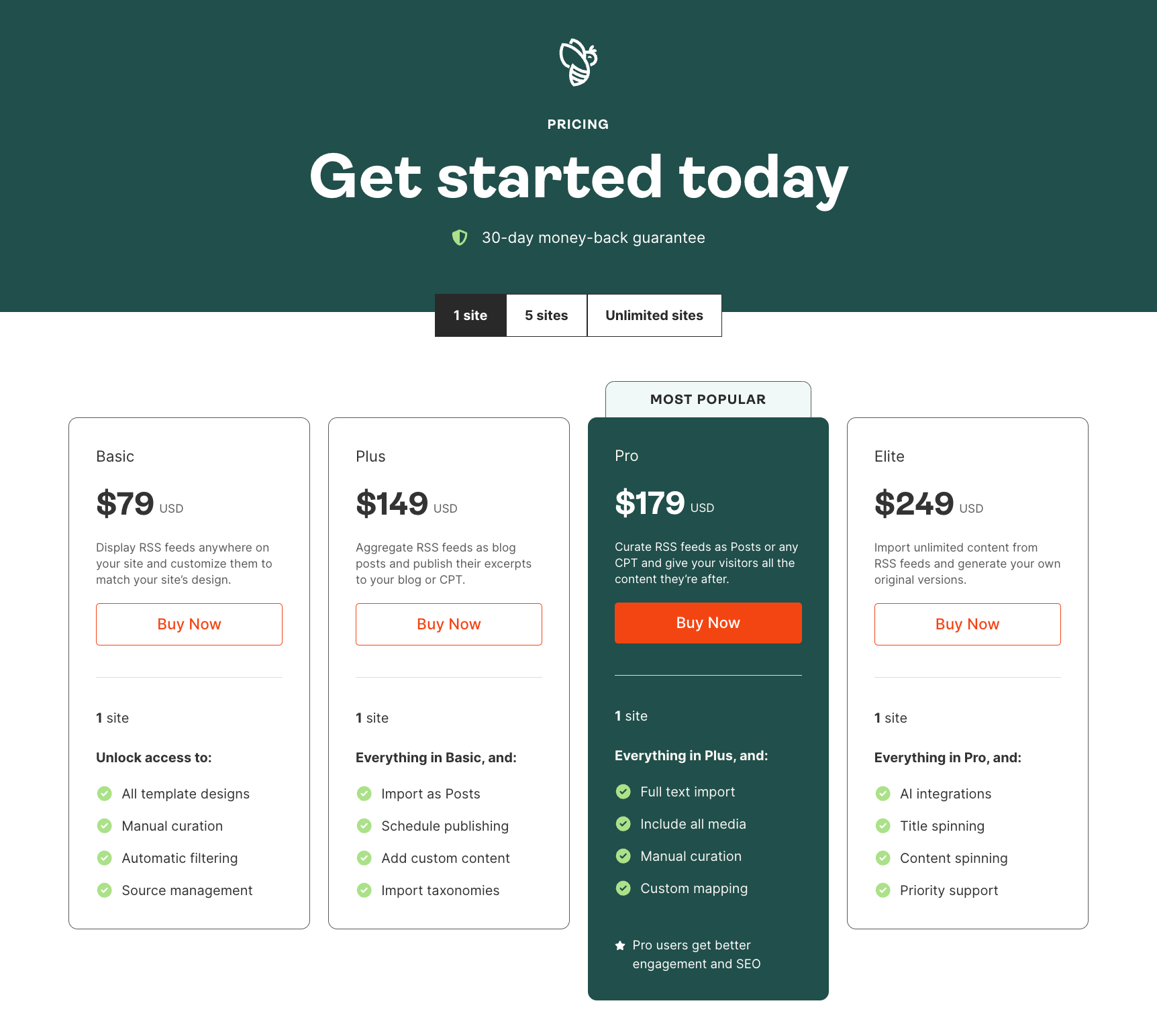
- Select your plan from our pricing page and click
Buy Now.
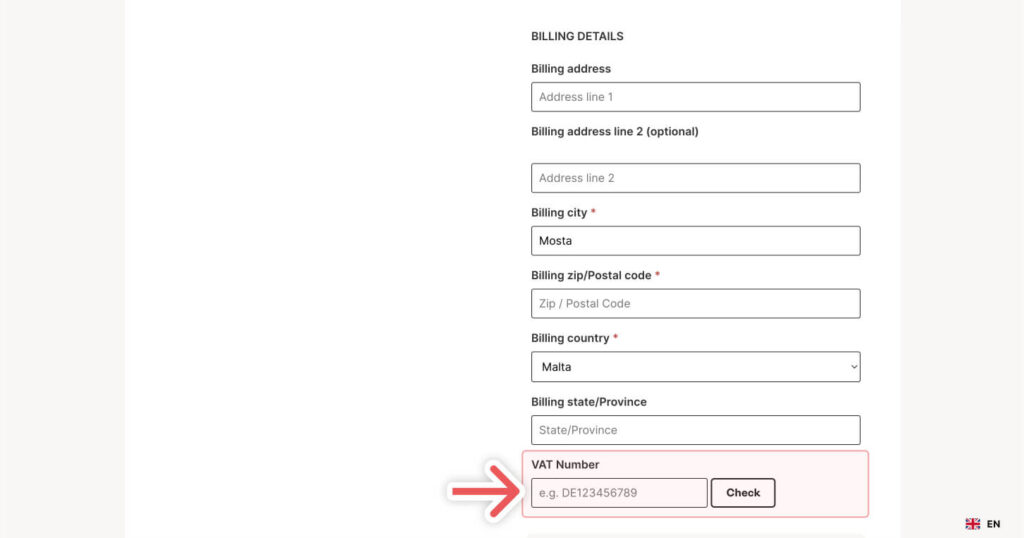
- At checkout, scroll down to the
Billing Details. - Enter your valid VAT number.
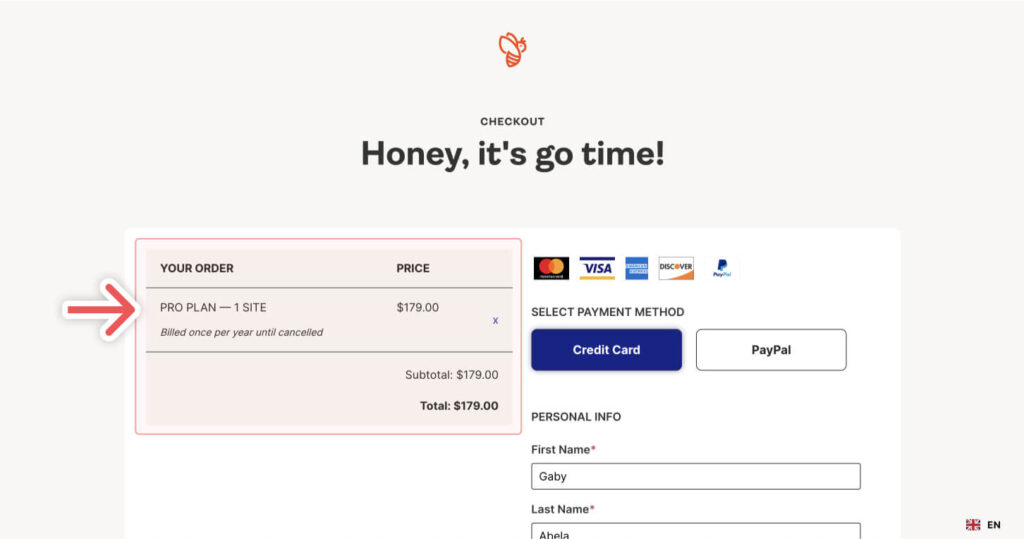
- Review the
Order Summaryat the top of the page. - Complete your purchase (excluding VAT) by clicking the
Complete Orderbutton.
Troubleshooting Common Issues
- VAT number not accepted: Double-check that you have entered the number correctly and that it matches your billing country.
- VAT still charged after entering number: If validation fails, VAT will remain on the order. Contact your local tax authority to verify the status of your VAT number.
- VAT field not showing: Ensure you have selected an eligible EU country (not Malta) in the billing information.
Important Notes
- You are responsible for ensuring that you meet any local VAT exemption rules and maintain correct VAT reporting.
- VAT exemption is only granted after successful real-time validation. We cannot refund VAT retrospectively if the VAT number is not entered or validated during checkout. In such cases, we may refund the original purchase and ask you to make a new order with the VAT number validated at checkout.
