Hacker News has a free RSS feed for its front page. Paste this URL into your feed reader:
For new submissions, Show HN projects, or stories with a minimum number of points, use hnrss, a community-run RSS service.
Choose the Hacker News feed you want to follow
Copy the URL for the stories you want to follow:
| Follow this | Feed URL | What it includes |
|---|---|---|
| Front page | https://news.ycombinator.com/rss | Stories on the HN front page. |
| New submissions | https://hnrss.org/newest | The latest submissions to HN. |
| Show HN | https://hnrss.org/show | Projects shared by their creators. |
| Ask HN | https://hnrss.org/ask | Questions posted to the HN community. |
| Posts passing 100 points | https://hnrss.org/newest?points=100 | Stories with at least 100 points. |
Paste your chosen feed URL into the Feed Finder below to check it and preview its stories.
Check that Latest shows a recent date, then scroll through the preview to see which stories the feed includes. Use Copy URL to add the feed to your reader or Aggregator.
Filter by points, comments, or a topic
Add ?points=100 to the newest feed to get stories with at least 100 points:
Change 100 to the minimum score you want.
For the most lively discussions on HN, filter by the number of comments. This feed includes Ask HN posts with at least 25 comments:
To filter by both points and comments, put ? before the first filter and & before the second:
How the RSS feed URL fits together
https://hnrss.org/showChoose Show HN?points=100Set the points threshold&comments=25Add a comment thresholdAdd a search term to follow a topic
Add q= followed by your search term. This feed searches HN post titles for WordPress:
To search both titles and submitted URLs, add &search_attrs=title,url. The search does not include the text of linked articles.
Link to the Hacker News comments
To open the HN discussion instead of the linked article, add link=comments:
Display Hacker News headlines on WordPress
Here’s how to display three Hacker News headlines on your WordPress site using WP RSS Aggregator.
1. Add the filtered feed as a source
In the Aggregator Hub, choose Add a new source. Paste https://hnrss.org/newest?points=100 into Source Link. When the feed appears in the results, select it and wait for the preview to load.
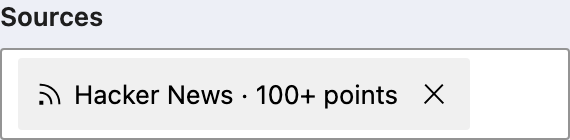
Name the source “Hacker News · 100+ points.”
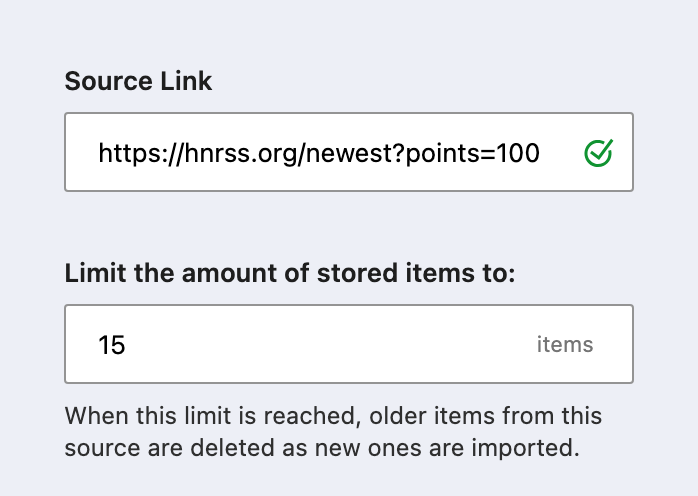
Set the limit to 15 to keep the latest 15 items. Aggregator removes older items as new ones arrive.
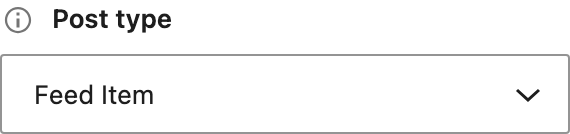
Under Post type, select Feed Item to store the headlines in Aggregator.
Set the source to check for new items every hour. Save it, then choose Import → Start import.
2. Create a list display
When the import finishes, choose Create a display for this source.
Name the display “Hacker News highlights.” Under Settings, select your Hacker News source and choose the List layout.
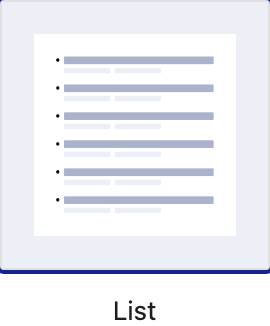
Open Customization → Appearance and set Number of items to 3. Turn off bullets and pagination to match the example below.
Under Customization → Author, turn off Show author name. The feed credits the person who submitted the link to HN, who may not be the article’s author.
Leave the source name visible to credit Hacker News, then save the display.
3. Put the display on a page
Choose Embed to create a page with your display. To add it to an existing page, insert the RSS Aggregator block and select “Hacker News highlights.” You can also copy the shortcode from the Embed dialog into a Shortcode block.
Your page will show a list like this, with fonts and spacing supplied by your WordPress theme:

Preview the page on desktop and mobile, and click a headline to check the link before publishing.
Aggregator checks for new stories on the hourly schedule you set for the source.
If the feed is empty or stops updating
Open the feed URL in your browser. If hnrss returns an error, try again later. You can use the native front-page feed while hnrss is unavailable.
If the feed opens but has no stories, remove one filter at a time. Lower the minimum points or comments, or try a less specific search term.
To request more stories from hnrss, add count=100 to the URL. The default is 20; the maximum is 100. In Aggregator, increase the source’s stored-item limit too if you want to keep the additional stories.
If you need to check the feed’s XML for errors, our guide to RSS feed validators explains how to run a check and read the results.