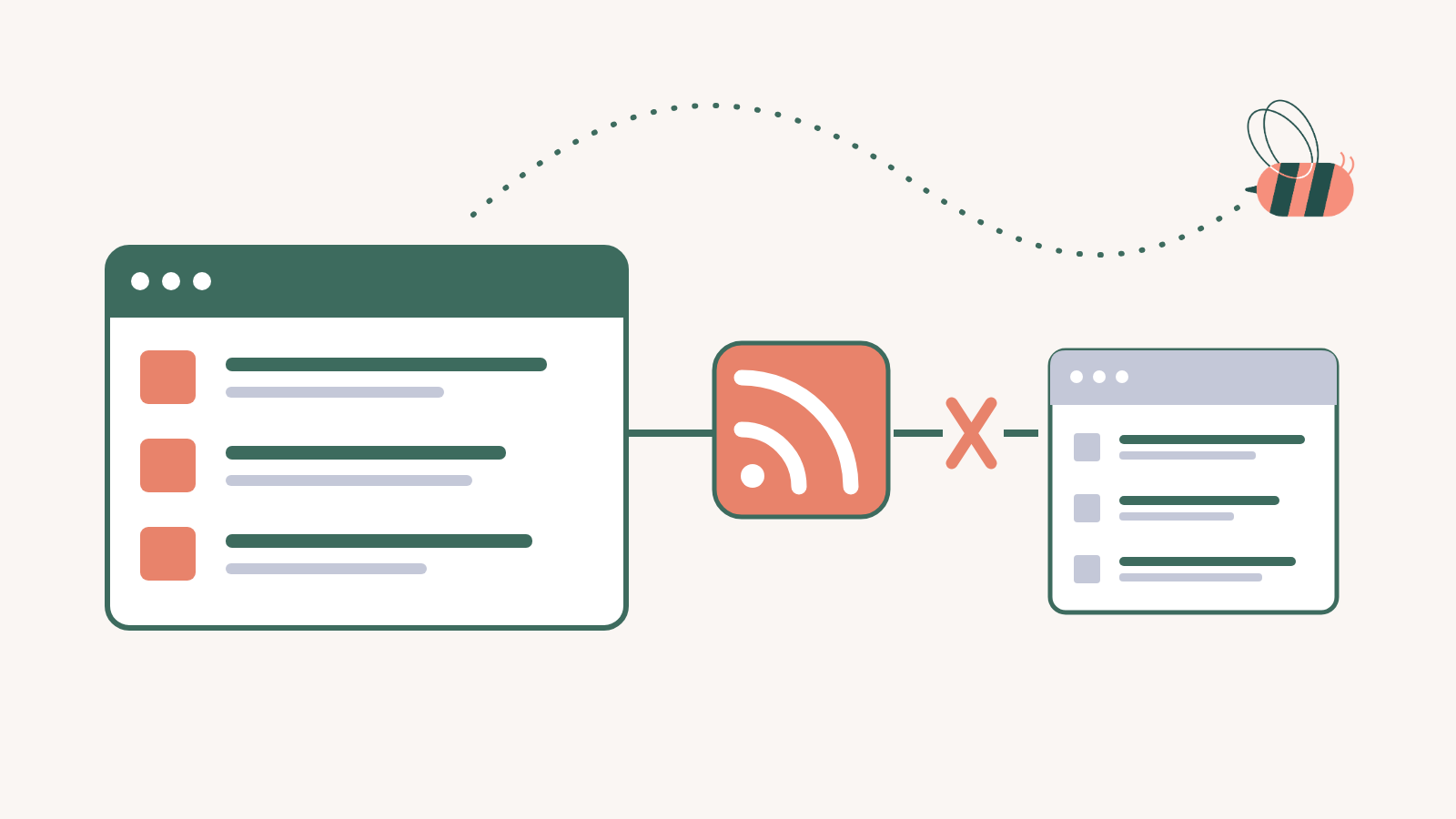
“I installed Aggregator thinking it would help me read RSS feeds like Feedly does, but now I’m confused about what this plugin actually does.”
We see this confusion constantly in support forums, WordPress communities, and product reviews. It makes sense. Both Aggregator and Feedly work with RSS feeds. Both help you manage content from multiple sources. Both use similar terminology.
But here’s the thing: they do completely different jobs. Aggregator publishes curated content for your website visitors to see. Feedly organizes content for you to read personally.
One is a publishing tool. The other is a reading tool. They serve completely different purposes, even though they both interact with the same underlying technology.
By the end of this article, you’ll understand exactly which tool you need. That might be Aggregator, a personal feed reader like Feedly, or both working together in your content workflow.
The Core Difference: Publishing vs. Consuming
The simplest way to understand this distinction is to ask one question: Who sees the content?
With Aggregator, your website visitors see the content. With Feedly, only you see it.
Let’s get into the details.
Aggregator (WordPress Plugin): Publishing Content to Your Site

Aggregator is a WordPress plugin that imports RSS feed content and displays it on your website. It transforms external content sources into something your visitors can browse, read, and engage with directly on your site.
- Output: Content appears on your public-facing website pages and blog posts
- Audience: Your website visitors (the people who come to your site)
- Primary function: Import, curate, filter, and publish RSS content within WordPress
Think of Aggregator as a content syndication engine. You give it RSS feed URLs from news sites, blogs, podcasts, YouTube channels, or any other source that publishes an RSS feed. It pulls that content into WordPress, lets you filter and organize it, and then displays it to anyone who visits your site.
Common use cases include building news aggregation websites, creating industry resource hubs, automating content curation for niche blogs, and displaying the latest episodes from podcasts or YouTube channels.
Feedly and Inoreader (Personal Feed Readers): Reading Content Yourself

Feedly, Inoreader, and similar tools are personal RSS readers. They help you stay updated on topics you care about by organizing feeds from various sources into a single reading interface.
- Output: A private reading interface only you can access
- Audience: Just you (or your team, with enterprise plans)
- Primary function: Organize, filter, and read RSS content for personal productivity
Personal feed readers are essentially modern replacements for the newspaper. Instead of visiting 50 different websites every morning, you subscribe to their RSS feeds and read everything in one place. According to G2 reviews, Feedly serves as a central hub for professionals tracking industry news, researchers monitoring specific topics, and anyone who wants to escape algorithmic social media feeds.
The content stays private. Your reading list, your saved articles, your organizational folders: none of that appears anywhere except in your personal Feedly account.
When You Need Aggregator
Aggregator is the right choice when you want to build something for other people to use. Here are the scenarios where it shines:
- Building a news aggregation website: You want to create a site that collects news from multiple sources in a specific niche. That could be local news, industry updates, sports coverage, or any topic where pulling from multiple sources adds value.
- Creating an industry resource hub: Your business wants to position itself as a go-to resource by aggregating the best content from across your industry, giving visitors a reason to return regularly.
- Automating blog post creation with curated content: You want to supplement your original content with automatically imported posts from trusted sources, properly attributed and formatted as WordPress posts.
- Displaying latest podcast episodes or YouTube videos: You host content on external platforms and want it to automatically appear on your WordPress site whenever you publish something new.
- Creating a job board from RSS feeds: Many job sites offer RSS feeds of their listings. Aggregator can pull these into WordPress to create a niche job board for your audience.
- Building a “what’s trending” section: You want a dynamic section of your site that automatically updates with the latest content from sources relevant to your readers.
In every case, the defining characteristic is the same: other people will see and interact with this content on your website.
When You Need Feedly (or Similar Tools)
Personal feed readers are the right choice when the content is for your own consumption, research, or productivity. Consider these scenarios:
- Staying updated on industry news personally: You want to track what’s happening in your field without visiting dozens of websites or relying on social media algorithms to surface relevant content.
- Researching topics for original content: You’re a content creator who needs to stay informed about trends, gather inspiration, and identify topics worth writing about.
- Organizing your reading list across devices: You want access to your saved articles and feeds on your phone, tablet, and desktop, synced and organized the way you prefer.
- Filtering and tagging for personal productivity: You need to categorize content by project, priority, or topic so you can find relevant articles when you need them.
- Discovering content ideas before manually writing: You want to see what others are publishing so you can identify gaps, find angles, or ensure your content adds something new.
According to Feedly’s documentation, their Pro+ plan even includes AI features that analyze millions of articles to surface the most relevant content for your specified topics. That functionality is designed entirely around personal productivity rather than publishing.
Key Feature Comparison: WordPress Aggregator vs Feed Reader Tools
To make the distinction crystal clear, here’s a side-by-side comparison of what each tool offers:
| Feature | Aggregator (WordPress Plugin) | Feedly (Personal Reader) |
|---|---|---|
| Primary Purpose | Publish content to your website | Read content personally |
| Content Display | Public website pages and blog posts | Private reading interface |
| Target Audience | Your website visitors | Just you |
| Customization Focus | Displays, layouts, visual filters for your site | Reading preferences, folders, tags |
| Automation | Auto-publish RSS content as WordPress posts | Save articles, share to other apps |
| Integration | WordPress themes, plugins, page builders | Personal productivity apps (Pocket, Evernote, Zapier) |
| Curation Control | Approve or reject items before publishing | Mark read/unread, organize into folders |
| Attribution | Automatic source credits for compliance | Not applicable (private consumption) |
| Licensing Model | Per-site licensing | Per-user subscription |
Notice how nearly every feature points toward a fundamentally different use case. Aggregator’s features are built around publishing workflows: approving content, designing displays, integrating with WordPress. Feedly’s features are built around reading workflows: organizing feeds, syncing across devices, exporting to note-taking apps.
Can You Use Both Together?
Yes. Many content professionals use both tools as complementary parts of their workflow.
Think about it this way: Feedly helps you discover and research. Aggregator helps you publish and distribute. They’re not competing. They’re different stages of a content curation process.
A marketing manager might use Feedly every morning to scan industry news, identify trending topics, and save articles for reference. Later, they might add the best sources they’ve discovered to Aggregator, configuring it to automatically display relevant content on their company’s resource hub.
The tools serve different purposes at different points in the workflow.
The Ideal Workflow
Here’s how Feedly and Aggregator can work together effectively:
- Use Feedly for personal research and discovery. Subscribe to a broad range of sources in your industry. Use folders to organize by topic. Scan headlines daily to stay informed.
- Identify trends and sources worth sharing. As you read, note which sources consistently produce content your audience would value. Pay attention to which topics generate the most discussion.
- Add high-quality sources to Aggregator. Once you’ve identified reliable sources, add their RSS feeds to Aggregator. Don’t add everything. Be selective about what deserves a place on your website.
- Configure Aggregator to display or publish appropriately. Set up Displays to show content in grid or list formats. Configure Feed to Post if you want items imported as WordPress posts. Use Automations to filter content by keywords or categories.
- Your visitors get curated content; you save time. The result is a website that’s regularly updated with relevant content, automatically filtered and displayed the way you’ve configured it. No need to manually post every item.
This workflow separates discovery from publication. Feedly casts a wide net. Aggregator publishes only what’s worth sharing.
What Makes Aggregator Different from Other WordPress RSS Plugins?
Once you understand that Aggregator is a WordPress publishing tool (not a personal reader), the next question is how it compares to other WordPress RSS plugins. There are several options in this space. Here’s what sets Aggregator apart.
Aggregator is an all-in-one solution that integrates Feed to Post, Full Text RSS, and Automations into a single plugin. Some competing plugins require separate add-ons for each major feature. Aggregator consolidates everything into one interface, reducing complexity and potential compatibility issues.
Not every item from a feed deserves to appear on your site. Aggregator’s advanced curation controls let you approve or reject items before they’re published, review imported content, and remove items after import if needed. This level of control matters when your website’s reputation depends on content quality.

The flexible display options include Displays with live preview functionality. You can configure grid layouts, list views, excerpt-thumbnail combinations, and other visual formats. You’ll see exactly how they look before publishing.

The Automations feature provides powerful filtering with global rules based on keywords, categories, and tags. You set the rules once, and Aggregator applies them automatically to incoming content. For sites aggregating from many sources, this eliminates hours of manual curation.

Feedzy operates in the same category as Aggregator. It’s another WordPress RSS plugin for publishing content to your site. Feedly, despite the similar name, is a completely different type of product: a personal feed reader with no WordPress integration.
Quick Decision Guide: Which Tool Do You Need?
Still not sure which direction to go? Walk through these questions:
Question 1: Who is the content for?
- If the content is for your website visitors to see, continue to Question 2.
- If the content is just for you to read, you need a personal feed reader like Feedly or Inoreader.
Question 2: Where should the content appear?
- If the content should appear on your WordPress website, continue to Question 3.
- If you want to read it in a mobile app or web interface across your devices, you need a personal feed reader.
Question 3: What kind of experience do you want to create?
- If you want to display feeds on your site in customizable layouts, Aggregator’s free version handles this well.
- If you want to auto-publish feed content as WordPress posts, you’ll need Aggregator Premium (Basic tier or higher) for the Feed to Post feature.
- If you want to build a full news hub with advanced filtering, keyword automations, and full-text imports, you’ll need Aggregator Pro or Elite.
The first two questions determine the category of tool you need. The third question determines which tier of that tool fits your requirements.
Common Mistakes to Avoid
Learning from others’ mistakes can save you frustration. Here are the most common errors people make when choosing between these tools:
The first mistake is installing Aggregator expecting a Feedly-like reading interface. Aggregator doesn’t provide a personal reading experience. It’s a WordPress admin tool for managing content that will appear on your site. If you want to read RSS feeds yourself, you need a separate personal reader.
The second mistake is using only Feedly and wondering why your website doesn’t update. Feedly has no connection to WordPress. It doesn’t know your website exists. If you want content to appear on your WordPress site automatically, you need Aggregator or a similar WordPress plugin.
The third mistake is thinking Aggregator replaces your content research tools. Aggregator helps you publish curated content, but it’s not designed for broad content discovery and research. You’ll likely still want a personal reader for staying informed about your industry and discovering new sources.
Another common mistake is not understanding the licensing difference. Feedly and similar readers use per-user subscription pricing. You pay for your account. WordPress plugins like Aggregator typically use per-site licensing, meaning you pay based on how many websites use the plugin. These different models reflect their different purposes.
Finally, people often confuse “reading RSS” with “publishing RSS content.” RSS is just a data format. Reading RSS means consuming that data personally. Publishing RSS content means taking that data and displaying it on a website. Same data format, completely different actions.
Getting Started with Aggregator
If you’ve determined that Aggregator is the right tool for your needs, here’s what to know about getting started.
The free version of Aggregator supports unlimited sources and unlimited displays. You can import RSS feeds and display them on your WordPress site without paying anything. This is genuinely useful for basic aggregation needs.
When you need advanced features, premium plans unlock additional capabilities:
- Basic ($99/year): Adds Automatic Filtering and Manual Curation functionality for full control over your feed.
- Pro ($199/year): Adds Feed to Post functionality to import RSS feed items as posts and other features like scheduling content for publishing.
- Elite ($269/year): Includes all features plus priority support and additional site licenses
Here are the quick start steps:
- Install the free plugin from WordPress.org (search for “WP RSS Aggregator”)
- Navigate to Aggregator in your WordPress dashboard
- Add your first source by entering an RSS feed URL
- Create a Display to configure how content will appear
- Place the Display on any page or post using the provided shortcode or Gutenberg block
The entire process from installation to displaying content typically takes less than 10 minutes.
Conclusion: Choosing Between Aggregator and Feed Readers
The distinction comes down to two words: publishing versus consuming.
Aggregator takes RSS content and publishes it on your WordPress website for visitors to see. Feedly takes RSS content and organizes it for you to read personally. Same input, completely different outputs, entirely different purposes.
These tools complement each other. Many content professionals use both: Feedly for discovery and research, Aggregator for publishing and distribution. Each tool excels at what it was built to do.
If you’re building a news hub, resource center, or any WordPress site that should display curated content from external sources, start with Aggregator’s free version. It costs nothing to test, supports unlimited sources, and lets you evaluate whether the plugin fits your workflow before considering premium features.
Do you have any questions about choosing between Aggregator and personal feed readers? Let’s talk about them in the comments section below!